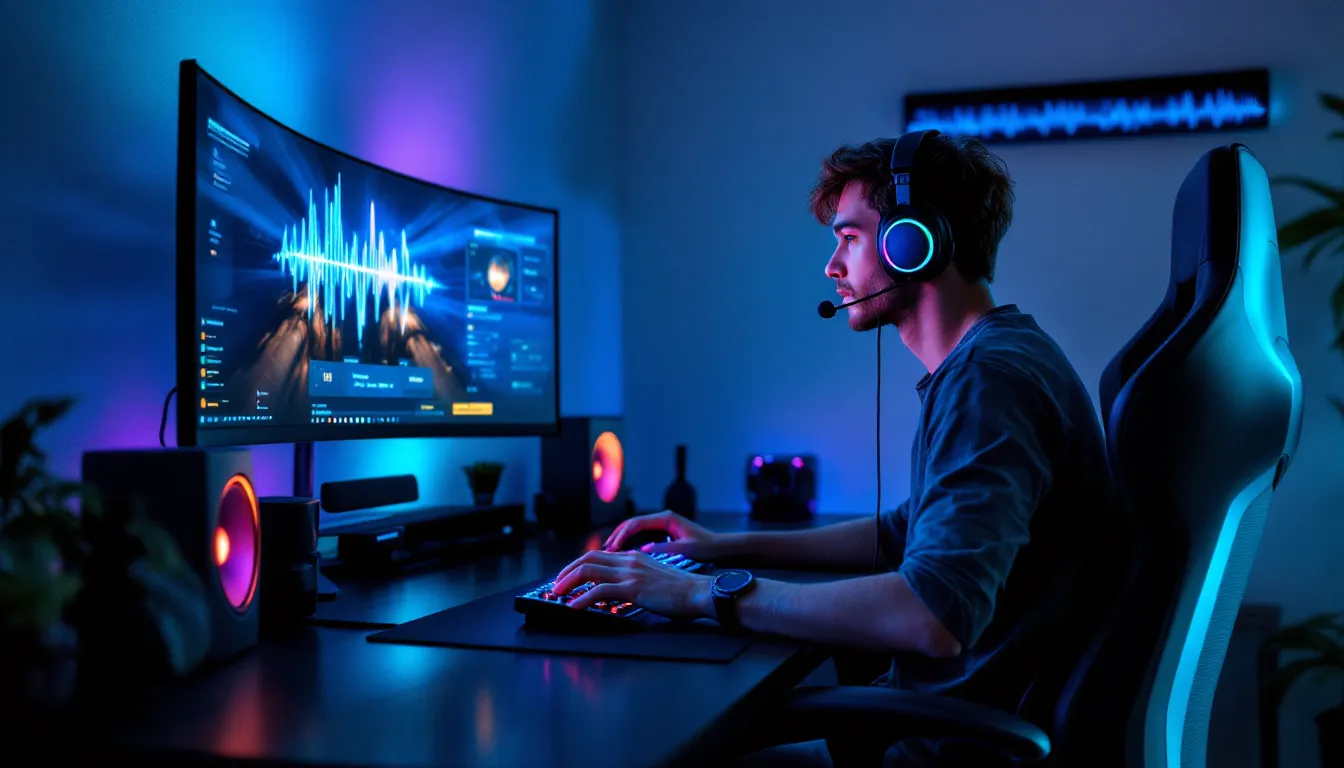

Audio in gaming isn’t just background noise, it’s tactical information. That footstep behind you, the reload click of an opponent’s gun, the subtle engine hum of an incoming vehicle, these details separate victories from defeats. For competitive gamers and casual players alike, choosing the right in-ear headphones can transform how you experience games across PC, console, and mobile platforms. This guide breaks down everything you need to know about gaming headphones, from latency requirements to driver specs, and helps you find the perfect pair for your setup. Whether you’re grinding ranked matches or exploring story-driven worlds, the right audio gear makes a measurable difference.
Key Takeaways
- Audio quality in gaming is tactically critical—footsteps, gunfire direction, and ambient cues directly impact competitive performance and immersion across PC, console, and mobile platforms.
- The best in ear headphones for gaming require sub-40ms latency (USB dongle or 2.4GHz connectivity), midrange emphasis for footstep clarity, and comfortable, secure fit for extended 6+ hour sessions.
- In-ear headphones excel for gaming compared to over-ear models due to superior comfort on extended wear, no interference with glasses, consistent directional audio, and excellent portability across platforms.
- Competitive FPS gamers should prioritize wired USB dongle connectivity and neutral-to-midrange tuning, while console and mobile gamers can accept higher latency (50-100ms) in exchange for wireless convenience and battery life.
- Quality gaming in ear headphones last 4-5 years with proper maintenance including weekly ear tip cleaning, careful cable management, optimized battery charging, and cool, dry storage when not in use.
- The ideal gaming headphones balance your specific needs—verify platform compatibility, confirm comfort through testing, and choose reliable brands that offer strong warranty coverage and repair options.
Why Audio Quality Matters In Gaming
The Competitive Edge: How Sound Affects Gameplay
In competitive shooters, audio is as critical as visual cues. Footsteps indicate enemy position and distance. Gunfire reveals direction and weapon type. Reload sounds telegraph vulnerability. Players who leverage spatial audio have faster reaction times, not because they’re faster, but because they’re processing information milliseconds sooner.
Take a typical FPS scenario: you’re holding a position, and you hear a faint footstep from the left. That audio cue lets you pre-aim before your opponent rounds the corner. Without clear, directional sound, you’re guessing. With it, you’re executing.
Beyond competitive play, audio immersion shapes entire gaming experiences. In horror games, audio design creates tension and dread that visuals alone can’t achieve. In story-driven titles like The Last of Us or Cyberpunk 2077, dialogue clarity and ambient sound design anchor emotional moments. RPGs use audio cues to signal leveling up, loot drops, and world events, mechanical feedback that keeps players engaged.
Higher-quality headphones reproduce a wider frequency range, meaning you’re hearing what developers intended. This isn’t theoretical, professional esports teams have audio engineers because equipment tuning impacts tournament wins. The meta has shifted toward recognizing audio as a performance multiplier, not an afterthought.
Mobile and console games also benefit significantly from proper audio. Mobile battle royales use directional sound to compress PC-level audio design into smaller hardware. Console exclusives leverage surround sound capabilities that cheap earbuds simply can’t deliver.
Key Features To Look For In Gaming Headphones
Latency And Wireless Connectivity
Latency in gaming audio refers to the delay between on-screen action and sound output. For wireless headphones, this matters immensely. A 100ms lag between a gunshot and hearing it is detectable and disorienting. Gamers need latency under 40ms for imperceptible delay.
Bluetooth 5.0 or higher is the baseline for modern gaming earbuds, but not all Bluetooth implementations are equal. Some codecs prioritize range: others optimize for latency. Look for headphones supporting low-latency profiles like aptX LL (Low Latency), LDAC, or proprietary gaming modes.
For competitive gaming on PC, wired connections or 2.4GHz USB dongles remain superior to standard Bluetooth. They eliminate wireless latency entirely. Console players often have fewer options, PS5 and Xbox Series X
|
S support Bluetooth gaming headsets, but wired connections through controllers or adapters provide more stability.
Dual connectivity is increasingly common: headphones that switch between Bluetooth for mobility and USB dongle for low-latency gaming. This flexibility matters for players who stream, create content, or switch between gaming and casual listening.
Comfort And Fit For Extended Sessions
Extended gaming sessions mean headphones sitting in your ears for 4-8+ hours. Discomfort breaks immersion instantly. Cheap earbuds with rigid housings create fatigue and pain. Quality gaming earbuds use ergonomic shapes, soft silicone ear tips, and lightweight designs.
Fit customization is non-negotiable. Headphones should include multiple ear tip sizes, typically XS, S, M, L, XL. A proper fit sits snugly without pressure, seals the ear canal without discomfort, and stays in place during movement. Some brands include memory foam or gel tips that conform to your ear shape for personalized comfort.
Weight distribution matters too. Heavier earbuds (8+ grams per side) cause ear fatigue, even if the housing feels soft. Aim for earbuds under 7 grams each. Lightweight designs with balanced weight distribution let you forget you’re wearing them.
For glasses-wearers, consider open-fit designs or smaller profiles that don’t interfere with glasses arms. This overlooked detail impacts comfort significantly for a portion of the gaming audience.
Driver Size And Frequency Response
Driver size dictates sound staging capability. Larger drivers (8mm+) produce deeper bass and wider soundstage, valuable for environmental awareness in games. Smaller drivers (6-7mm) prioritize clarity and detail in midrange frequencies where footsteps and gunfire typically sit.
Frequency response indicates which sound ranges a headphone reproduces. Gaming headphones should have response from 20Hz to 20kHz, covering human hearing range. But not all ranges matter equally for gaming:
- 20-100Hz (Sub-bass): Explosion rumble, vehicle engines, ambient drones.
- 100-500Hz (Bass-mids): Gunfire fundamentals, drum hits, lower voice presence.
- 500Hz-5kHz (Midrange): Footsteps, dialogue, critical competitive audio cues.
- 5-20kHz (Treble-presence): Sizzle in gunfire, high-frequency detail, air and space.
For competitive gaming, a slight midrange emphasis helps footstep clarity. For immersive single-player, a more balanced response or slight bass boost enhances atmosphere without muddying competitive cues.
Headphones with detachable or adjustable bass profiles offer flexibility. Some include companion apps with EQ adjustment, games like Valorant benefit from a slight treble boost to sharpen audio directional cues.
Noise Isolation And Ambient Sound Control
Passive noise isolation (silicone seals, physical blocking) and active noise cancellation (ANC) serve different gaming purposes. ANC reduces environmental noise by up to 30dB depending on technology, valuable for blocking fan noise, traffic, or household distractions.
But, ANC introduces processing latency and can muffle game audio if overly aggressive. Competitive gamers often disable ANC or use high-transparency modes to hear environmental warnings (someone entering the room, doorbell, etc.).
For immersive, story-driven gaming, ANC enhances focus by eliminating distractions. It’s less critical for competitive play where reaction speed matters more than comfort.
Transparency modes let ambient sound pass through while wearing earbuds. Useful for gaming in social environments, monitoring surroundings during console play in living rooms, or quick awareness checks. Transparency quality varies, higher-end models reproduce ambient sound naturally: cheaper versions sound tinny or processed.
Top In-Ear Gaming Headphones By Category
Best For Competitive FPS Gaming
Competitive FPS players prioritize latency, midrange clarity, and soundstage. Top performers in this category include models with low-latency wireless connectivity, neutral to midrange-forward tuning, and precision imaging.
SteelSeries Arctis Nova 1 Plus offers 2.4GHz USB dongle connectivity with sub-30ms latency, making it PC esports-certified. The midrange emphasis highlights footstep cues. At $129, it’s competitively priced for the feature set. Battery life exceeds 40 hours. Some players find the fit slightly loose compared to competitors.
SCUF Gaming Kama delivers low-latency Bluetooth (aptX LL support) alongside a wired option. The midrange is tuned specifically for vocal clarity and directional cues. Price hovers around $149. Build quality feels premium, though battery life is moderate (6-8 hours).
Razer Hammerhead HyperSpeed combines 2.4GHz dongle connectivity with impressive latency performance. The tuning is analytical rather than warm, highlighting detail in competitive audio cues. At $79, it offers exceptional value for budget-conscious esports players.
For console FPS (PS5, Xbox Series X), compatibility is more limited. Most esports headphones rely on PC USB connectivity. But, some Bluetooth headsets work with console controllers via auxiliary adapters or built-in Bluetooth on newer consoles.
Best For Console Gaming
Console gamers benefit from comfortable, Bluetooth-compatible earbuds with good soundstage and balanced tuning. Console-native connectivity matters, PS5 and Xbox Series X support Bluetooth gaming headsets.
Sony WF-C700N pairs excellent comfort with Bluetooth 5.2 and a balanced sound signature. The fit stays secure during extended sessions. ANC works well for blocking controller-related vibrations and ambient noise. Around $80, it’s accessible. Latency sits around 50-60ms, acceptable for non-competitive console gaming but noticeable in fast-paced titles.
Apple AirPods Pro (2nd Gen) offer seamless console connectivity via Bluetooth, superior comfort from years of refinement, and active noise cancellation. The gaming latency reaches 100ms in some scenarios, limiting competitive viability. For story-driven console exclusives and single-player games, the immersion quality and comfort justify the $249 price. Spatial audio adds dimension to console soundscapes.
Anker Soundcore Space A40 delivers ANC, spatial audio simulation, 8-hour battery life, and console compatibility at $79. The sound is slightly bassier than competitors, great for cinematic gaming, less ideal for competitive play. Comfort is excellent, though the touch controls feel delicate.
Console-specific considerations: PlayStation and Xbox controllers have different audio input methods. USB-C or 3.5mm dongles work universally. Native Bluetooth is simplest but not always lowest latency.
Best For Mobile Gaming
Mobile gaming headphones need extreme portability, reliable Bluetooth, and balanced audio that works across diverse game genres, from rhythm games to mobile MOBAs to casual puzzle titles.
Soundcore by Anker Space Q45 offers premium features at mid-tier pricing ($79). Lightweight design, excellent comfort, and Bluetooth 5.3 make it mobile-first. Battery life reaches 10 hours. The sound is clean and balanced, suitable for rhythm games requiring audio precision. Spatial audio processing adds depth for immersive mobile titles.
Samsung Galaxy Buds2 Pro integrate seamlessly with Android devices and support 360-degree audio via Samsung’s implementation. The fit is snug and light. At $150-$200 depending on deals, they’re mid-premium. Some Android users report occasional connectivity quirks with non-Samsung phones.
Jabra Elite 85t cost $230 but deliver exceptional audio clarity, reliable Bluetooth, and comfortable extended wear. The midrange emphasis shines in mobile games emphasizing dialogue and environmental audio. ANC helps focus in noisy environments. Overkill for casual gaming but excellent for serious mobile gamers.
Mobile-specific needs: Look for headphones with responsive touch controls (pause, skip, volume). Bluetooth stability matters more than PC dongles since phones can’t use USB gaming adapters. Battery life should exceed 6 hours per charge, mobile sessions often outlast desktop gaming.
Best Budget-Friendly Options
Budget gaming headphones don’t require sacrificing competitive viability. Several sub-$100 models deliver solid performance.
QCY T13 offer surprisingly capable audio for $40. Latency via 2.4GHz dongle (if model supports it) runs low. Sound signature is slightly bright, emphasizing midrange cues. Comfort is decent for casual sessions, though extended wear may feel slightly tight. Build quality feels plasticky compared to premium options.
JBL Tune Buds hit $80 with ANC, spatial audio, and balanced sound. Battery life is solid at 8 hours. The fit is comfortable, though slightly loose for intense gaming with head movement. Sound quality punches above the price point.
Soundcore by Anker Anker Life Dot 3 deliver $50 buds with impressive feature density: ANC, balanced sound, long battery life (10+ hours with case), and reliable Bluetooth. The midrange clarity supports competitive gaming even though the price. Touch controls work responsively. Build feels durable even though the low cost.
Budget limitations: Most sub-$100 headphones lack gaming-specific latency modes or 2.4GHz dongles. Comfort on extended sessions may require adjustment. Sound quality, while acceptable, typically emphasizes certain frequency ranges over absolute neutrality. Battery life and durability are the real value propositions at budget pricing.
In-Ear Vs. Over-Ear: Which Is Right For You
Performance Comparison
In-ear headphones have technical advantages and trade-offs compared to over-ear models. Understanding these differences helps choose the right form factor.
Soundstage and Spatial Audio: Over-ear headphones generally produce wider soundstage due to larger drivers and acoustic design. In-ears compensate with advanced processing, virtual surround, HRTF algorithms, and spatial audio simulation. Modern in-ears match over-ears in perceived spaciousness even though technical limitations. Recent gaming headset comparisons demonstrate how driver placement and tuning can offset physical size differences.
Frequency Response and Bass: Larger over-ear drivers typically produce deeper sub-bass with less effort. In-ears achieve impressive bass through careful tuning and multiple driver configurations (dual-driver or triple-driver models). For gaming, bass impact matters less than midrange clarity and treble definition.
Isolation: In-ears isolate better passively (ear canal seal) than over-ears. Active noise cancellation on over-ears often outperforms in-ear ANC due to larger enclosures and processing power. For gaming immersion, in-ear isolation suffices because headphones enter the ear canal.
Latency: Both form factors achieve sub-40ms latency with proper connectivity. Over-ear models don’t inherently outperform in-ears on latency, it’s determined by codec and connection type, not size.
Comfort And Practicality Differences
Form factor dramatically impacts real-world usability for gaming.
Extended Wear Comfort: In-ears excel here. They’re lightweight, reducing ear fatigue on 6+ hour sessions. Over-ears, even though cushioning, place weight on the top of your head and around ears, pressure points emerge after 4-5 hours. For marathon gaming sessions, in-ears win decisively.
Heat and Moisture: In-ears sit inside the ear canal, creating a sealed microclimate. Extended wear can trap moisture or feel warm. Over-ears sit on the ear, allowing airflow. In summer or extended sessions, over-ears feel more comfortable. For most gaming environments (climate-controlled gaming rooms), this is minor.
Glasses and Headwear: In-ears don’t interfere with glasses or hats, a huge practical advantage for glasses-wearing gamers. Over-ears apply pressure against glasses arms, causing discomfort during long sessions. In-ears solve this entirely.
Setup Space: In-ears require minimal desk real estate and pack easily. Over-ears need a stand or headphone hanger to prevent damage. For mobile gaming or LAN events, in-ears’ portability is incomparable.
Micro-movements and Positional Audio: In-ears stay fixed in the ear canal, providing consistent directional audio. Over-ears can shift during head movement, affecting perceived soundstage direction. For competitive gaming requiring precise audio localization, in-ears maintain consistency.
Social Compatibility: In-ears are less noticeable in social settings. If you’re gaming in a shared space or streaming content, in-ears feel less antisocial. Over-ears are bulkier, more visually prominent.
Practical recommendation: Choose in-ears if you prioritize comfort on extended sessions, wear glasses, need portability, or game in social environments. Over-ears suit players who emphasize soundstage, want maximum bass, or game in dedicated private spaces. Many serious gamers use both, in-ears for mobility and casual sessions, over-ears for immersive single-player or streaming content.
Gaming Platform Compatibility Guide
PC Gaming Setup Requirements
PC gaming offers the most flexibility for headphone connectivity but requires attention to latency and driver support.
USB Dongle Connectivity (Recommended for Competitive Gaming): Many gaming-focused in-ears include 2.4GHz USB dongles that attach to your PC or motherboard. This wireless option achieves latency under 25ms, imperceptible to human perception. The dongle occupies one USB port but doesn’t require software installation on most modern systems. Competitive esports players almost exclusively use USB dongle connectivity due to latency consistency.
Bluetooth (5.0 or Higher): Modern PCs support Bluetooth natively via motherboard or USB adapter. Latency ranges from 50-100ms depending on codec and implementation. This is acceptable for casual gaming and single-player titles but noticeable in fast-paced competitive games. Bluetooth works reliably with most games but requires manual pairing setup.
3.5mm Wired (Declining Standard): Many modern gaming PCs lack 3.5mm ports. If your laptop or desktop has one, wired connection guarantees zero latency and zero audio synchronization issues. Cables restrict movement, limiting appeal for modern gaming.
Software Compatibility: PC gaming rarely requires drivers for headphones, plug-and-play functionality is standard. Some headphones include companion apps for EQ adjustment, button remapping, or noise cancellation control. These are optional but valuable for tweaking audio for specific games.
PC gaming advantage: You can use competitive gaming headsets, regular Bluetooth headphones, or even studio monitors. Platform flexibility lets you choose based on gaming focus rather than hardware limitation.
Console Compatibility (PlayStation, Xbox, Nintendo)
Console connectivity is more restrictive but increasingly flexible with recent hardware updates.
PlayStation 5: Supports Bluetooth 5.0 gaming headsets natively. Pair via system settings, and audio routing automatically switches to headphones. Latency typically sits around 50-80ms, acceptable for single-player and casual multiplayer but noticeable in competitive gaming. Some third-party USB dongles work if the PS5 includes USB ports (DualSense charging dock or console rear USB). Most Bluetooth headsets designed for PS5 gaming are factory-tested for compatibility.
**Xbox Series X
|
S:** Similarly supports Bluetooth gaming headsets directly. Xbox app on PC also supports Bluetooth, simplifying cross-platform play. USB dongle compatibility depends on the specific headset manufacturer. Xbox Wire protocol is proprietary, making it incompatible with generic wireless solutions. Officially licensed Xbox gaming headsets work universally.
Nintendo Switch: Supports Bluetooth audio output, but microphone input is limited, typically requiring a separate headset designed for Switch or a wired USB adapter. This limits true hands-free gaming on Switch. Audio-only Bluetooth works fine for portable gaming.
Platform-Specific Considerations: Each console manufacturer certifies certain headsets for official compatibility. Certified products guarantee stable audio, minimal disconnections, and proper button remapping. Non-certified Bluetooth headsets often work but may experience connectivity quirks.
Dongle workarounds exist (USB-C to 3.5mm adapters) for console compatibility, but they add complexity. Most console gamers gravitate toward native Bluetooth solutions for simplicity.
Mobile Gaming Considerations
Mobile gaming demands reliable Bluetooth without additional hardware, strong battery life, and compact form factor.
Bluetooth Stability: Mobile devices (iOS and Android) support standard Bluetooth 5.0 or higher. Modern in-ears maintain stable connections up to 30 feet, sufficient for gaming. Older devices (iPhone 8 or earlier, Android from 2018 or earlier) may experience occasional dropout with some headphones. Check compatibility lists if using older phones.
Low-Latency Profiles: iOS doesn’t support low-latency Bluetooth codecs like aptX LL, all Bluetooth audio has ~100-150ms latency on iPhones. Android devices with aptX LL support (newer Samsung, OnePlus, Pixel phones) can achieve 40-60ms latency, noticeably better for rhythm games and competitive mobile titles.
Battery Efficiency: Mobile gaming often outlasts desktop sessions. Headphones should deliver 8+ hours per charge for all-day gaming without worrying about charging. Case battery capacity matters for travel gaming, total cumulative battery of 24+ hours is ideal.
Control Integration: Mobile games rarely support button mapping on headsets, so touch controls must work intuitively. Play/pause, volume, and track-skip buttons should feel responsive. Some games (Genshin Impact, COD Mobile) benefit from discrete control of game-specific features via headset, this is rarely available but nice when implemented.
Mobile-specific recommendation: Prioritize battery life, Bluetooth stability, and weight. Audio quality matters less than on PC where you’re at a desk. Many serious mobile gamers use their high-end Bluetooth headphones (originally purchased for PC or general audio) for gaming when on the go, so universal compatibility matters more than mobile-specific optimization.
Maintenance And Care For Gaming Earbuds
Gaming earbuds take a beating. Extended use, transportation, sweat exposure, and regular charging cycles degrade components. Proper maintenance extends lifespan from 2-3 years to 4-5+ years.
Ear Tip Hygiene: Ear wax and skin oils accumulate on tips, affecting sound isolation and comfort. Clean tips weekly with a slightly damp, lint-free cloth. For deeper cleaning, submerge ear tips (remove from the earbud housing) in warm soapy water for 5 minutes, rinse thoroughly, and air-dry completely before reattaching. Never submerge the earbud itself unless the manufacturer explicitly states waterproofing ratings.
Charging Port Care: USB-C and Lightning ports accumulate lint and debris, preventing secure connections or damaging pins. Use a dry toothpick or soft brush to gently remove debris from charging ports. Avoid liquid near ports unless the device is IP67-rated or higher. Invest in a charging case with a protective cover or cap to minimize debris exposure.
Cable Management (Wired Variants): If you use wired in-ears or have USB dongles, avoid sharp bends that damage internal conductors. Wrap cables loosely in cable organizers. Never yank cables from ports, grip the connector body instead. This prevents internal damage that causes intermittent connectivity issues.
Storage: When not in use, store headphones in their charging case in a cool, dry environment. Extreme heat (above 86°F) or cold (below 32°F) degrades battery capacity. Keep earbuds away from direct sunlight and moisture. If headphones get wet, dry them completely before charging, moisture causes short circuits.
Battery Longevity: Modern gaming earbuds use lithium-ion batteries that degrade with charge cycles. Optimize lifespan by not letting batteries fully deplete (charge at 20% remaining). Avoid constantly topping up from 100%, periodic full discharge cycles (once monthly) help battery management systems recalibrate. Most quality gaming headphones retain 80%+ battery capacity after 2-3 years of normal use.
Software Updates: Some gaming headsets receive firmware updates via companion apps. These updates improve Bluetooth stability, fix latency issues, or adjust audio profiles. Check the manufacturer’s app quarterly for updates, they’re often optional but valuable. Update only when battery is above 50% to avoid interruption.
Mechanical Stress: In-ears are durable, but repeated insertion and removal eventually wears out the connector joint where the cable meets the earbud. Handle connectors carefully, twisting gently rather than bending sharply. If a cable connection loosens, it may be repairable by gently bending the connector back into shape, but replacement is safer.
For damaged or degrading headphones, manufacturer warranty typically covers 1-2 years. Out-of-warranty repairs depend on the brand, some offer paid repair services, while others only offer replacement. Investing in quality gaming headsets from reputable manufacturers means longer warranty coverage and easier repair options.
Conclusion
Selecting gaming in-ear headphones requires balancing performance, comfort, and platform compatibility. The best choice depends on your gaming focus: competitive FPS players prioritize latency and midrange clarity: console gamers value comfort and Bluetooth compatibility: mobile gamers need battery life and portability.
Key takeaways: latency and connectivity determine competitive viability, driver quality and tuning shape audio performance, and fit customization separates tolerable from excellent comfort. Competitive FPS gaming demands sub-40ms latency, achievable through USB dongle connectivity on PC. Console and mobile gaming accept higher latency in exchange for wireless convenience and portability. Budget-friendly options deliver solid value if you’re willing to sacrifice certain features or aesthetic polish.
The technology landscape continues evolving, spatial audio is becoming standard even on gaming-focused earbuds, latency across Bluetooth codecs improves yearly, and manufacturers increasingly optimize specifically for gaming rather than general audio. Recent technology reviews for gaming accessories highlight how quickly standards shift, meaning recommendations need regular updates.
Before purchasing, consider your primary gaming platform, typical session length, and competitive focus. In-ears excel at portability and comfort for extended sessions. Over-ears offer slightly better soundstage, but in-ears have closed the gap significantly. Test fit and latency if possible, comfort is subjective, and even the best headphones fail if they don’t sit right in your ears.
Invest in proper care and maintenance to protect your gaming audio investment. Clean ear tips regularly, manage charging carefully, and store headphones properly during downtime. Quality gaming earbuds last 4-5 years with proper care, delivering exceptional value over their lifespan.
Eventually, the best gaming headphones are the ones you’ll actually use consistently. An expensive model gathering dust in a drawer beats a mid-tier option worn daily. Choose based on your specific gaming needs, verify platform compatibility, confirm comfort through testing when possible, and commit to the purchase. Your competitive performance, and gaming enjoyment, will measurably improve.