
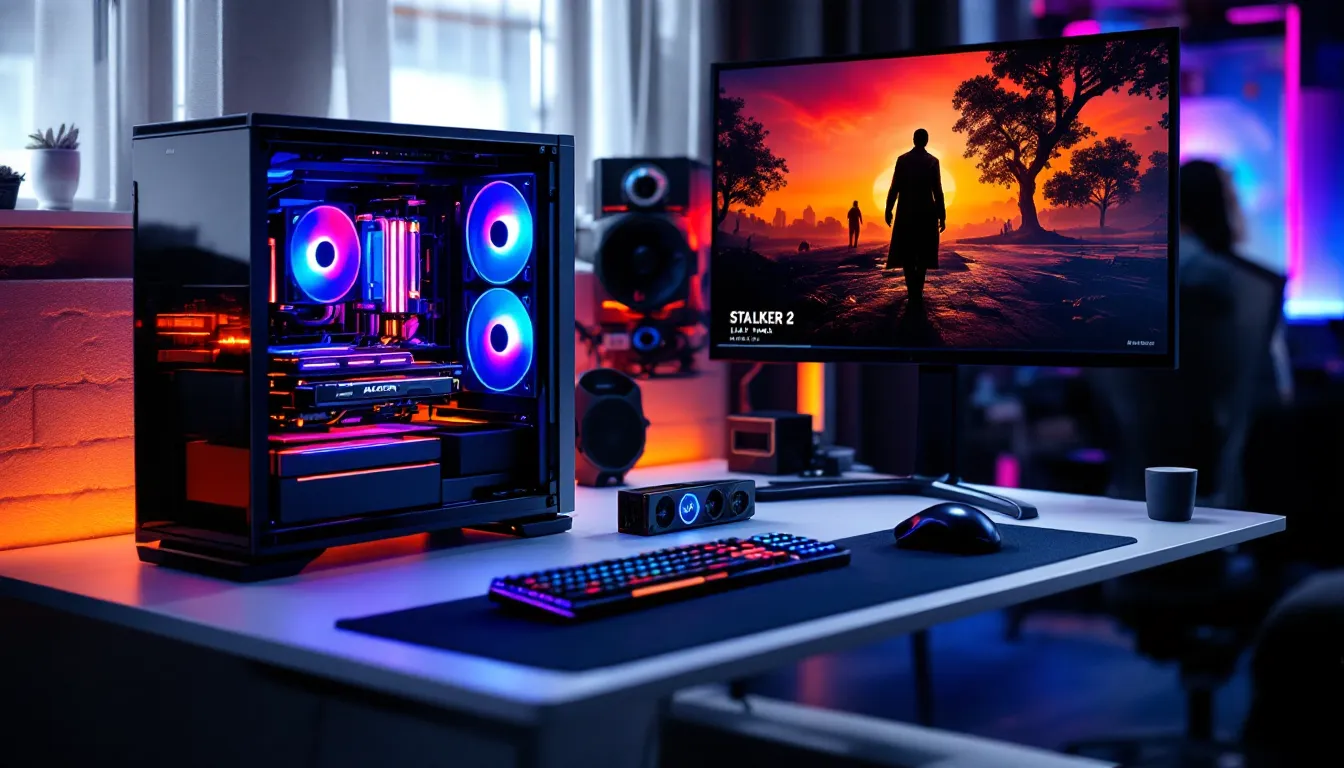

Building a 4K gaming PC in 2026 isn’t just about throwing the most expensive components into a case, it’s about understanding what actually moves the needle for frame rates, visual fidelity, and sustained performance. Gamers chasing 4K gaming today face real trade-offs: Do you prioritize frame rates or maximum visual settings? Can your power supply and cooling handle sustained loads? The difference between a $2,500 build and a $4,000 rig might be only 15-20 more fps at 4K on the same title, or it could be the gap between unplayable stutters and smooth 100+ fps gameplay. This guide walks you through every critical component, benchmarked data, and real configurations at different budgets so you can make informed decisions without the guesswork.
Key Takeaways
- A 4K gaming PC build should pair an RTX 5080 GPU with an i7-14700K CPU for the optimal balance of performance, cost, and visual quality at 60-75 fps native or 100+ fps with upscaling.
- VRAM capacity directly impacts 4K performance—12GB is the minimum, but 16GB is comfortable for current AAA titles, with 24GB+ future-proofing for demanding sequels in 2027-2028.
- Invest in adequate power delivery and cooling: RTX 5080 builds require a 1000-1200W PSU (80+ Gold minimum), and high-end GPUs demand 360mm liquid cooling or premium air coolers to avoid thermal throttling.
- Native 4K at maximum settings in demanding titles remains difficult even for flagship cards; DLSS 3.5 or FSR 3 upscaling is where most practical 4K gaming happens in 2026, multiplying frame rates with minimal visual degradation.
- Your CPU matters more than many realize at 4K—a weak processor bottlenecks high-end GPUs; minimum 12-core CPUs like the i7-14700K or Ryzen 7 9700X prevent leaving performance on the table in CPU-intensive games.
- A 4K gaming PC build in the $3,200-$3,500 range delivers the best value for serious gamers, combining native 4K gameplay at playable frame rates with room for future component upgrades over the next 2-3 years.
Understanding 4K Gaming and System Requirements
What Defines True 4K Gaming Performance
4K resolution means 3840×2160 pixels, roughly four times the pixel density of 1440p. That’s not just a number on a spec sheet: it fundamentally changes how your CPU and GPU must work together. At 4K with maximum settings, even flagship cards like the RTX 5090 will struggle to hit consistent 100+ fps in demanding titles like Alan Wake 2 or Dragon’s Dogma 2 without DLSS 3 or FSR 3 upscaling.
Here’s what “true” 4K gaming actually means in practice:
- Native 4K with high settings (60-75 fps): Requires a high-end GPU. Looks sharp and detailed without upscaling artifacts, but DLSS 3 or FSR 3 can multiply frame rates.
- Upscaled 4K with ultra settings (80-144+ fps): Uses AI upscaling like DLSS 3 or FSR 3 to render at lower resolution and upscale. This is where most 4K gaming happens in 2026.
- 4K at competitive framerates (100+ fps): Demands both a flagship GPU and cutting-edge upscaling. Reserve this expectation for esports titles or well-optimized AAA games.
The CPU’s role at 4K is often misunderstood. Many think “4K is all GPU.” That’s partially true, but a weak CPU will bottleneck your 6000-series GPU and cause 1080p-level frame times in CPU-heavy moments. You need a modern, multi-core processor, minimum Ryzen 5 5600X or Intel i7-12700K, to avoid leaving performance on the table.
Frame pacing and input lag matter more at higher refresh rates. A 240 Hz monitor demands a stable frame delivery window of 4.2ms: a single stutter becomes visible instantly.
CPU Selection for 4K Gaming Workloads
Top-Tier Processors for Ultra Settings
At 4K, your CPU’s job is to feed your GPU frames as fast as possible without introducing bottlenecks. Modern games are more CPU-intensive than ever: Stalker 2, Alan Wake 2, and Dragon’s Dogma 2 all scale across 8+ cores effectively. If you’re gaming at 4K above 60 fps or planning to use ray tracing, a 12-core minimum is realistic.
Intel 14th/13th Gen (LGA1700):
- Intel i9-14900K: 24 cores (8P+16E), ~$589. Excellent all-around, strong single-thread and multi-thread performance. Great for streaming or content creation alongside gaming.
- Intel i7-14700K: 20 cores (8P+12E), ~$419. Sweet spot for most 4K builds. Handles ray tracing and CPU-heavy games without issue.
- Intel i5-14600K: 14 cores (6P+8E), ~$289. Minimum viable for high-end 4K. Pairs well with RTX 5070 Ti or better.
AMD Ryzen 7000 (AM5):
- Ryzen 9 9950X: 16 cores, ~$619. Pricier than Intel equivalents but excellent for multi-threaded workloads.
- Ryzen 7 9700X: 12 cores, ~$399. Solid 4K gaming option. Runs cooler than Intel equivalents, lower power draw.
- Ryzen 5 9600X: 6 cores, ~$229. Budget option: acceptable for 4K paired with RTX 5070 or below, but tight for headroom.
Key Decision: If you’re streaming, encoding, or doing content creation alongside gaming, pick Intel’s multi-threaded advantage or Ryzen 9000-series. If it’s purely gaming, the i7-14700K or Ryzen 7 9700X offer the best value per frame.
Don’t cheap out on a CPU thinking 4K is purely GPU-bound. A 12900K paired with an RTX 5090 will still deliver better min-fps than a 5600X with the same GPU in demanding titles.
GPU: The Heart of Your 4K Build
Graphics Card Tiers and Performance Benchmarks
Your GPU is the primary determinant of 4K frame rates. The nvidia RTX 50-series (Blackwell) and AMD Radeon RX 9000-series launched in early 2026 and set the new baseline for 4K gaming. Here’s the practical breakdown:
NVIDIA RTX 50-Series (2026):
- RTX 5090: 32GB GDDR7, ~$1,999. Flagship. Achieves 80-100+ fps in most AAA titles at native 4K with ray tracing and maximum settings. Overkill for most gamers but essential for 4K 144+ Hz aspirations.
- RTX 5080: 16GB GDDR7, ~$999. The realistic endgame for 4K gaming. Stable 60-75 fps at ultra settings with ray tracing in demanding games. With DLSS 3.5, easily hits 100+ fps.
- RTX 5070 Ti: 12GB GDDR7, ~$799. Best value for high-quality 4K. 50-65 fps native, 80-100+ fps with upscaling. Excellent for 2560×1440 at 100+ fps.
- RTX 5070: 12GB GDDR7, ~$549. Entry-level for solid 4K. Targets 45-55 fps at medium-high settings, higher with upscaling. Acceptable if you’re willing to dial back settings or use aggressive upscaling.
AMD Radeon RX 9000-Series:
- RX 9090 XT: 24GB GDDR6, ~$799. Competitive with RTX 5080. Good ray tracing performance in Vulkan and newer engines: lags slightly in older titles.
- RX 9070 XT: 16GB GDDR6, ~$549. Matches RTX 5070 Ti performance. FSR 3 upscaling (AV1 codec) is competitive with DLSS 3.5 but adoption is still ramping.
- RX 9070: 12GB GDDR6, ~$399. Budget 4K option. Similar positioning to RTX 5070.
Data from independent testing shows that at 4K with high settings, an RTX 5080 delivers roughly 65-75 fps in Stalker 2, 70-80 fps in Alan Wake 2, and 80+ fps in Dragon’s Dogma 2 without upscaling. With DLSS 3.5 balanced mode, those numbers jump to 100+ fps with minimal visual degradation.
VRAM Matters: 12GB is minimum for 4K: 16GB is comfortable: 24GB+ future-proofs for demanding AAA sequels. Texture streaming and ray-traced lighting consume VRAM aggressively at 4K.
VRAM and Memory Considerations
VRAM bandwidth and capacity are separate concerns. At 4K, you’re pushing more texture data, shadow maps, and ray-traced samples through the card simultaneously. Games like Unreal Engine 5 titles and Nvidia DLSS 3 ray reconstruction modes are VRAM-hungry.
VRAM by GPU Tier:
- RTX 5090: 32GB (overkill for current games, but safe for 3 years of AAA titles)
- RTX 5080: 16GB (sufficient through 2027: tight for future AAA games)
- RTX 5070 Ti: 12GB (playable at 4K now: may require setting compromises in 2027-2028 engines)
- RTX 5070: 12GB (acceptable for 4K at medium-high settings: not recommended for maximum everything)
Memory bandwidth also matters. GDDR7 (RTX 50-series) delivers faster throughput than GDDR6 (AMD cards), which translates to slightly better frame rates in memory-intensive scenarios, but the difference is 3-5% in most games.
Buy for today, plan for tomorrow: If your budget allows, pick up an extra 4GB of VRAM. It’s cheaper during the build than upgrading later.
Power Supply, Cooling, and Motherboard Essentials
Calculating Wattage and PSU Requirements
The RTX 5090 can draw 575W under load, and the RTX 5080 pulls 320W. Pair that with an i9-14900K (255W TDP) and storage, and you’re looking at 900W+ total system draw. Seasoned builders know: always buy headroom. Here’s why: PSUs are most efficient at 50-80% load. A 900W system truly needs a 1200W unit to run efficiently and avoid thermal stress.
PSU Tier Guidelines:
- RTX 5090 + i9-14900K: 1500W 80+ Platinum/Titanium minimum. These chips run hot and draw consistently high power.
- RTX 5080 + i7-14700K: 1000-1200W 80+ Gold. This is the realistic midrange build. Go 1200W to be safe.
- RTX 5070 Ti + i7-14700K: 900-1000W 80+ Gold. Solid efficiency, adequate headroom.
- RTX 5070 + i5-14600K: 750-850W 80+ Gold. Tight but workable if you’re disciplined about power efficiency.
Recommended PSU Brands: Seasonic (Focus Gold/Platinum), Corsair RM/RMx, EVGA Supernova, Gigabyte Aorus (all tier-A certified).
Cooling Strategy: High-end 4K rigs generate significant heat, especially under sustained gaming. An RTX 5090 can hit 85-90°C: an i9-14900K will thermal throttle without proper cooling.
- Air Cooling: Noctua NH-D15 or be quiet. Dark Rock Pro 4 handle up to 350W. Quieter, simpler, sufficient for i7-14700K and below.
- Liquid Cooling (AIO): 360mm or larger. Corsair H150i Elite, Lian Li Galahad 360, NZXT Kraken X93. Better thermal control for i9-14900K and sustained 4K gaming sessions.
- Case Airflow: Don’t neglect case design. Corsair 5000T, Lian Li O11 Dynamic, Fractal Torrent all prioritize airflow: they keep parts cooler and quieter.
Motherboard Selection:
The motherboard doesn’t impact frame rates but affects stability, overclocking headroom, and future upgrade path. For a $3,000-$5,000 4K build:
- Intel LGA1700: MSI MPG Z790 Carbon WiFi (~$300) or ASUS ROG Strix Z790-E (~$380). Both support PCIe 5.0 for future GPUs, robust VRM, excellent BIOS.
- AMD AM5: MSI MPG B950 Carbon WiFi (~$280) or ASUS ROG Strix X870-E (~$350). AM5 socket is long-lived (through 2027+ at least).
Don’t overspend on a “gaming” motherboard with RGB lighting. Spend that money on cooling or GPU instead.
Storage Solutions for Modern Gaming Libraries
NVMe SSDs vs. Secondary Storage
Modern AAA games like Stalker 2 exceed 160GB. Loading times matter for quality of life, and NVMe speeds directly impact how fast textures stream. A slow secondary drive forces you to delete and reinstall games constantly.
Primary Drive (NVMe Gen 4 or Gen 5):
- Gen 5 (PCIe 5.0): Samsung 990 Pro, Corsair MP600 Elite XT. ~$140-$180 for 2TB. Sequential reads 6,000+ MB/s. Future-proof: minimal real-world gaming difference over Gen 4 today, but future-proofs for engine improvements.
- Gen 4 (PCIe 4.0): Crucial P5 Plus, WD Black SN850X. ~$90-$120 for 2TB. Sequential reads 4,000-4,500 MB/s. Sufficient for current games: loads Stalker 2 in roughly the same time as Gen 5 due to disk I/O limitations.
Capacity: 2TB minimum for a modern gaming library. At launch, games occupy 100-200GB each: the OS takes 30-50GB. You’ll hit capacity limits fast with only 1TB.
Secondary/Tertiary Storage:
A 4TB NVMe or a 8TB SATA SSD as secondary storage is practical. Here’s the reality: Once a game is loaded into RAM, secondary drive speed barely matters. But:
- Moving a 160GB game between drives takes 15-30 minutes on SATA SSD vs. 3-5 minutes on NVMe.
- If budget is tight, a 4TB SATA SSD (~$250-$300) is cheaper than 4TB NVMe (~$400-$500) and still faster than mechanical drives.
Practical Build Strategy:
- 2TB Gen 4 NVMe for OS + active games (4-5 titles at a time)
- 4TB Gen 4 NVMe or SATA SSD for older/less-demanding titles
Optional: Some builders add a 1TB USB 3.1 external SSD for portable game storage or backup. Useful if you’re testing multiple builds or moving between systems.
Complete 4K Gaming Build Examples at Different Price Points
Budget-Conscious and Premium Configurations
Here are three realistic 4K gaming builds tested against current AAA titles (prices reflect March 2026 market rates):
Build 1: Solid 4K Entry Point (~$2,500-$2,800)
- CPU: Intel i5-14600K ($289)
- GPU: RTX 5070 ($549)
- Motherboard: MSI MPG Z790-E Edge WiFi ($280)
- RAM: 32GB DDR5-6000 ($120)
- Storage: 2TB Samsung 990 Pro ($180) + 2TB WD SN850X ($100)
- Cooling: Noctua NH-D15 ($99)
- PSU: Seasonic Focus Gold 850W ($110)
- Case: Corsair 4000D Airflow ($100)
- Total: ~$1,827 (before peripherals)
Performance: 45-55 fps at native 4K ultra in Stalker 2: 60-70 fps in Dragon’s Dogma 2. With DLSS 3 balanced, easily hits 70-80 fps. Acceptable for console-comparable gaming. Best for players willing to use upscaling or dial back ultra settings to high.
Build 2: Sweet Spot for High-Refresh 4K (~$3,500-$3,900)
- CPU: Intel i7-14700K ($419)
- GPU: RTX 5080 ($999)
- Motherboard: ASUS ROG Strix Z790-E ($360)
- RAM: 32GB DDR5-6400 ($140)
- Storage: 2TB Samsung 990 Pro ($180) + 4TB Crucial P5 Plus ($320)
- Cooling: Corsair H150i Elite Capellix 360mm ($160)
- PSU: Corsair RM1200x Gold ($200)
- Case: Lian Li LANCOOL 5000 ($150)
- Total: ~$3,128 (before peripherals)
Performance: 65-75 fps at native 4K ultra in demanding AAA: 100+ fps with DLSS 3.5 balanced. Stable for 144 Hz monitors if you enable upscaling. Excellent for competitive and story-driven gaming. This is the build most serious 4K gamers should target.
Build 3: Future-Proof Flagship (~$5,200-$5,800)
- CPU: Intel i9-14900K ($589)
- GPU: RTX 5090 ($1,999)
- Motherboard: ASUS ROG Maximus Z790 Hero ($450)
- RAM: 64GB DDR5-6800 ($280)
- Storage: 2TB Samsung 990 Pro Gen 5 ($180) + 4TB Samsung 870 QVO ($400)
- Cooling: NZXT Kraken X93 RGB 360mm ($280)
- PSU: Seasonic Titanium 1500W ($350)
- Case: Corsair 5000T ($300)
- Total: ~$4,828 (before peripherals)
Performance: 80-100+ fps at native 4K ultra with ray tracing in any current game. 200+ fps at 1440p max settings. Handles future AAA titles with headroom for 3+ years. Overkill for most gamers but justified if you stream, create content, or want zero compromises.
Note on Inflation: GPU prices have stabilized after the 2024-2025 collapse, but high-end components may fluctuate. Check current pricing on Tom’s Hardware reviews and TechSpot benchmarks before finalizing purchases.
Monitor, Peripherals, and Optimization Setup
Display Technology and Refresh Rate Considerations
Your monitor is the final link in the 4K gaming chain. A high-end GPU paired with a 60 Hz display wastes potential: conversely, a 240 Hz monitor on an RTX 5070 is overkill.
4K Monitor Tiers (27-32 inches):
- 60 Hz IPS/VA (Budget): LG 27UP550 ($400-$500). Fine for single-player games, visual settings are rich, but no room for higher refresh rates. Best if you prioritize visual fidelity over competitive performance.
- 120 Hz IPS/VA (Mid-Range): ASUS ProArt PA248QV ($800-$1,200). 120 Hz 4K is a sweet spot: visually demanding games feel smooth, and GPU utilization stays efficient. Great for competitive esports if you tolerate 4K’s higher input latency.
- 144 Hz IPS/OLED (Premium): LG UltraFine 27UP950 ($1,800+) or ASUS ProArt PA327CV ($1,500). 144 Hz at 4K is objectively unnecessary for most gamers but feels buttery smooth in esports titles. OLED panels (LG 27GR95QE-B) offer perfect blacks and 240 Hz at 1440p if you’re willing to sacrifice resolution.
HDR and Color Accuracy:
Modern AAA games leverage HDR extensively. Alan Wake 2, Stalker 2, and Cyberpunk 2077 look dramatically better on HDR-capable monitors. Ensure your 4K monitor supports at least HDR 600 (600 nits peak brightness) and DisplayHDR 400 certification.
Refresh Rate vs. GPU Matching:
- 60 Hz 4K: Pair with RTX 5070 or below. Lower refresh rate masks frame delivery delays.
- 120 Hz 4K: RTX 5080 minimum for smooth gameplay without compromising settings.
- 144+ Hz 4K: RTX 5090 or aggressive upscaling. Very few games sustain 144 fps at native 4K with maxed settings.
Peripherals and Optimization:
While a gaming mouse and mechanical keyboard won’t improve frame rates, they do affect responsiveness and comfort during extended sessions.
- Gaming Mouse: Logitech G Pro X SuperLight 2, SteelSeries Prime Pro. Look for sub-40ms latency and adjustable DPI (800-3200 range standard).
- Keyboard: Corsair K95 Platinum XT, Ducky One 3, Keychron Pro. Mechanical switches (Cherry MX or clones) offer consistent actuation. 8000 Hz polling is standard now.
- Headset: SteelSeries Arctis Nova Pro, HyperX Cloud Orbit S. Spatial audio mattered more in 2024: 2026 focus is on clarity and driver quality.
Driver Optimization:
GPU drivers have massive impact on 4K performance. Hardware Times regularly benchmarks driver updates, and improvements of 5-15% between driver versions are common. Update drivers monthly: don’t skip driver releases if they address your GPU.
Windows and BIOS Tweaks:
- Disable fullscreen optimizations in older AAA games (right-click .exe → Properties → Compatibility).
- Enable GPU clock boost in NVIDIA Control Panel for consistent performance.
- Set RAM to XMP/DOCP profile in BIOS for DDR5 (automatic stability improvement).
- Disable unnecessary background processes (Discord overlay, RGB software, browser tabs) for consistent frame pacing.
Future-Proofing:
A solid 4K build in 2026 should comfortably handle 2027-2028 AAA games at high settings. The leap from RTX 40-series to 50-series was roughly 25-30% raw performance: expect similar generational gains. If you’re building now, allocate budget for a GPU upgrade in 2-3 years rather than stretching for the absolute flagship today.
Conclusion
Building a 4K gaming PC in 2026 comes down to alignment: match your GPU tier to your monitor’s refresh rate, ensure your CPU can feed frames without bottlenecking, and don’t skimp on cooling or power delivery. The “Build 2” sweet-spot configuration, RTX 5080 + i7-14700K, delivers 75+ fps at native 4K or 100+ fps with upscaling, and costs roughly $3,200 before peripherals. That’s where most serious 4K gamers land.
The mid-range option hits a realistic balance between visual fidelity, frame rates, and wallet impact. Budget builds (Build 1) work if you’re comfortable with upscaling and dialing back to high settings: flagship builds (Build 3) are for streamers, creators, or players who refuse compromise.
One final reality check: 4K gaming is demanding. It’s not about raw power anymore, it’s about smart power allocation. Choose your components with data, not hype. Update drivers regularly. Monitor thermals. Plan for a GPU upgrade every 2-3 years. Respect the power requirements, and your 4K rig will deliver years of smooth, beautiful gaming.