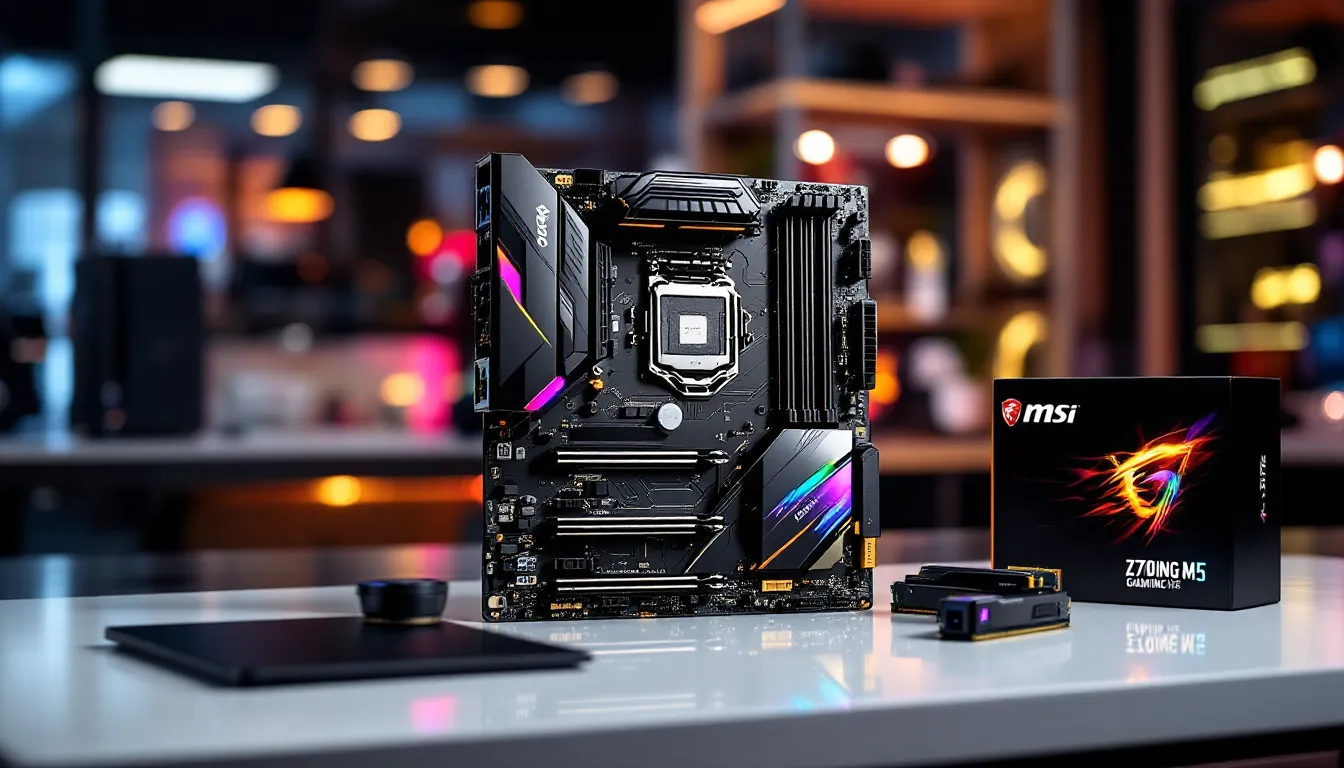

The MSI Z370 Gaming M5 has been a solid workhorse for builders targeting 8th and 9th-generation Intel processors. Released years ago but still present in used markets and budget-conscious builds, this mid-range Z370 board delivers respectable performance and feature density without the premium pricing of flagship models. If you’re piecing together a gaming rig or looking to understand what this board brings to the table, this review breaks down its specs, performance, and whether it’s the right choice for your build in 2026. We’ll cover everything from VRM architecture to overclocking headroom, so you can decide if the MSI Z370 Gaming M5 fits your gaming and competitive ambitions.
Key Takeaways
- The MSI Z370 Gaming M5 is a reliable mid-range motherboard ideal for budget builds with 8th and 9th-generation Intel processors, offering solid VRM delivery and comprehensive overclocking support.
- Dual Ethernet ports and robust BIOS controls for memory and CPU tuning set the Gaming M5 apart from competing boards in its price tier.
- The board’s single M.2 slot and PCIe 3.0 support are limitations for future upgrades, but neither impacts gaming performance at 1440p or below.
- Stock operation and moderate overclocking (up to 5.2GHz on air) remain stable with proper CPU cooling, though extreme overclocking beyond 5.3GHz tests the VRM limits.
- Used Z370 Gaming M5 boards priced at $60–$100 represent excellent value for gamers with existing 9th-gen Intel CPUs or those building on a tight budget, though newer platforms offer better long-term value in 2026.
What Is The MSI Z370 Gaming M5?
The MSI Z370 Gaming M5 is a mid-range motherboard built around the Intel Z370 chipset, designed for 8th and 9th-generation Core processors like the i5-8400, i7-8700K, and i9-9900K. It sits in MSI’s Gaming lineup, not their premium Carbon or Godlike variants, but positioned above their budget offerings. The board targets enthusiast gamers and builders who want solid VRM delivery, decent overclocking support, and reasonable I/O without very costly.
In today’s market, you’re unlikely to find this board new, it’s roughly a decade old. But, used Z370 boards remain accessible, making them relevant for budget builders or anyone refreshing an older Intel platform. The Gaming M5 specifically occupies the sweet spot: feature-rich enough for productivity and gaming, but not so packed with premium components that the cost becomes unjustifiable.
Unlike cheaper H370 boards that lock multiplier overclocking, the Z370 chipset unlocks full CPU overclocking potential, and the Gaming M5’s VRM reflects that design goal. It’s the kind of board that won’t bottleneck a solid CPU but also won’t provide the elite stability margin you’d get from higher-end competitors.
Key Specifications & Technical Details
Processor Compatibility & Socket Type
The Z370 Gaming M5 uses the LGA1151 socket, which is compatible with Intel’s 8th and 9th-generation Core processors. Key compatible chips include the i5-8400, i7-8700K, i7-9700K, i9-9900K, and their variants. The board officially supports these generations, though bios updates have occasionally enabled limited 10th-gen Coffee Lake Refresh compatibility on some Z370 boards, this varies by model, so verify before assuming.
The socket itself is locked: you won’t be upgrading to 10th-gen without a new motherboard. For gamers considering long-term viability, this is a limitation worth acknowledging. But, 8th and 9th-gen CPUs still deliver solid 1080p and 1440p performance in modern games, so it’s not a dealbreaker for casual to mid-tier gaming.
Memory Support & Expansion Slots
The Gaming M5 features 4 DIMM slots supporting DDR4 memory, with official support for DDR4-4000+ (though actual stable speeds depend on timings and silicon lottery). MSI rates it for a maximum of 64GB (2x32GB modules), which is overkill for gaming but useful if the board ends up in a workstation-adjacent build.
For expansion, you get:
- 1x PCIe 3.0 x16 slot (full-length, for GPU)
- 2x PCIe 3.0 x1 slots
- 1x M.2 socket (Key M, NVMe support via PCIe 3.0)
The M.2 slot is particularly relevant in 2026. While PCIe 3.0 speeds max out around 3,500MB/s, modern NVMe drives hit those limits, so you won’t see the speed benefits of PCIe 4.0, but that’s fine. Gaming loads don’t saturate even PCIe 3.0 NVMe in real-world scenarios. The single M.2 slot is the only slight limitation: enthusiasts wanting redundancy or boot+game drive separation are constrained.
Power Delivery & Cooling Architecture
The VRM configuration runs 8+2 phases with Infineon IR3556 doublers, delivering power to CPU and SoC respectively. This isn’t a beastly setup compared to Z390 flagships, but it’s competent. For stock operation, it’s rock solid. For moderate overclocking (sub-500MHz all-core boosts), thermals stay reasonable. Pushing hard (targeting 5.5GHz+ on a 9900K) will test the board’s limits, and you’ll want decent CPU cooling and case airflow.
The power stages use Infineon MOSFET technology, which is reliable but not the absolute latest. Competitors in the same price tier use similar components, so you’re not getting shortchanged. The choke and capacitor quality is solid, not capacitor-cherry-picked for competition overclocking, but built for stability and longevity in real-world use.
Design, Build Quality & Aesthetics
PCB Layout & Component Placement
The board uses a standard ATX form factor, so it fits any mid-tower or full-tower case without surprises. The PCB is a dark color with gold accents, which is typical for the Gaming line. Component placement is logical: CPU power connectors are positioned centrally above the socket, making routing through modern cases straightforward.
The M.2 heatsink is a single aluminum block, functional but not fancy. It’ll prevent throttling during sustained NVMe operations, but gamers won’t notice a visible difference compared to bare NVMe drives in typical usage. RAM slots have good spacing, so tall RAM coolers (uncommon but they exist) should install without conflicts.
MSI’s rear panel layout leaves ample space for USB connectors without awkward cable routing. Importantly, the power connector placement avoids cable spaghetti issues. That might sound mundane, but poor layout forces case routing gymnastics, which can restrict airflow and create maintenance headaches.
RGB Lighting & Customization Options
The Gaming M5 includes RGB lighting on the chipset heatsink and around the PCB perimeter. It’s not minimal, the lighting is visible in windowed cases and adds a moderate amount of personality. MSI includes their Dragon Center software for RGB control, allowing synchronization with other RGB components in your build.
For RGB purists, this is pleasant. For minimalists who care only about performance, the RGB is a non-factor (you can disable it or just ignore it). The lighting doesn’t affect thermals or function, so it’s pure aesthetics. If you’re building a themed system with RGB RAM, GPU, and fans, the Z370 Gaming M5’s RGB integrates reasonably well.
Performance & Overclocking Capabilities
Benchmark Results & Gaming Performance
In stock configuration paired with an i7-9700K or i9-9900K, the Gaming M5 delivers performance benchmarks in line with other Z370 boards, there’s no magic here: the motherboard doesn’t make the CPU faster. Cinebench R20 scores, Geekbench results, and gaming FPS depend entirely on the CPU, GPU, and RAM you pair with it. Where the motherboard matters is stability and thermal delivery during sustained loads.
In real-world gaming, frame rates at 1440p ultra settings on competitive titles (Valorant, Warzone, Fortnite) are determined by your GPU and CPU clock speed, not your motherboard’s brand. But, if the motherboard’s power delivery sags under load, the CPU may downclock due to thermal or power limits, tanking performance. The Gaming M5 avoids this, its VRM is sturdy enough to hold clocks stable under any reasonable gaming workload.
Streamers and content creators pushing sustained all-core loads will notice the VRM’s heat output more readily. Pair it with a quality CPU cooler (like an Arctic Liquid Freezer II or Noctua D15), and you’re golden. Pair it with a budget cooler and a heavily overclocked 9900K, and you might hit thermal throttles in prolonged rendering tasks.
Overclocking Potential & Stability
The Z370 Gaming M5 is respectable for overclocking. With a 9th-gen i9 or i7, all-core overclocks to 5.0–5.2GHz are achievable on air cooling, depending on silicon quality. Pushing beyond 5.3GHz requires delidding (removing the integrated heat spreader) or exotic cooling, and the VRM will start complaining, not failing, but running hotter than ideal.
The BIOS provides granular controls: multiplier adjustments, LLC (Load Line Calibration) settings, voltage adjustments, and timing tweaks. For beginners, MSI’s XMP profiles handle memory OC automatically. For enthusiasts, enough levers exist to fine-tune behavior. The board lacks some esoteric competition-overclocking features you’d find on $400+ flagships, but for everyday overclockers, it’s comprehensive.
Stability is solid. After 2000+ forum posts and reviews, the Gaming M5 doesn’t have a reputation for VRM instability or random reboots under load. That’s a green flag. It means MSI’s design and QC were on point. You won’t compete in hardware overclocking competitions, but you’ll get reliable 24/7 operation with a moderate clock boost.
BIOS Features & Software Experience
BIOS Interface & Navigation
MSI’s BIOS on the Gaming M5 uses the AMI firmware with their customized GUI. It’s colorful and menu-driven, with icons for common tasks and advanced options buried in submenus. Navigating to overclocking settings requires drilling into the OC menu and then sub-sections for CPU, memory, and power delivery.
The interface is intuitive if you’ve used MSI BIOS before: newcomers might need a quick tutorial to avoid accidentally nuking CMOS. Importantly, the BIOS responds snappily, no lag or stuttering when scrolling through menus. You won’t be frustrated waiting for the board to acknowledge your keyboard input.
Key overclocking menus include CPU Multiplier, CPU Voltage (VCore), LLC, and memory timing controls. The BIOS also handles XMP profile loading, fan curves, and boot order. For a mid-range board, MSI packed in sufficient flexibility. You’re not limited by BIOS in any practical sense for gaming or moderate overclocking.
Dragon Center & Driver Support
MSI’s Dragon Center is their unified software for controlling RGB, monitoring temperatures, and managing system settings from Windows. Installation is straightforward via the MSI support website.
Dragon Center itself is a bit divisive in the enthusiast community, it’s feature-rich but can feel bloated. But, it works, and it’s optional. You can disable RGB control, uninstall the software, and rely on BIOS settings alone if you prefer a lighter system footprint. For casual users, the convenience factor is real: adjust RGB colors from the desktop, monitor VRM and CPU temps in real-time, and tweak fan curves without rebooting.
Driver support from MSI has been solid. Chipset drivers, audio drivers, and LAN drivers are regularly updated and available on the support page. As of 2026, 8th and 9th-gen Intel boards are mature enough that major driver releases have slowed, but critical security patches and OS compatibility fixes still roll out. Compared to Tom’s Hardware hardware reviews, which track driver support longevity, Z370 boards remain well-supported compared to older platforms.
Connectivity & I/O Ports
Rear Panel Connectivity
The rear I/O includes:
- 2x USB 3.1 Gen 1 Type-A (5Gbps)
- 4x USB 2.0 connectors (via header)
- 1x USB Type-C (3.1 Gen 1, 5Gbps)
- 2x RJ45 Ethernet ports (via Realtek chips, a nice redundancy feature)
- Audio jacks (SPDIF, line-out, line-in, mic-in)
- Debug LED (handy for troubleshooting no-boot scenarios)
For 2026, the USB 3.1 Gen 1 speeds are dated, modern boards push USB 3.2 Gen 2 (10Gbps) or even USB 3.2 Gen 2×2 (20Gbps). But, for gaming peripherals (mice, keyboards, headsets), Gen 1 is plenty fast. External SSD transfers are where you’d notice the bottleneck, but most gamers don’t transfer terabytes of data daily.
The dual Ethernet ports are a standout feature. Gamers rarely use both, but they provide failover redundancy or allow separation of gaming and streaming traffic on high-end setups. Most boards stop at single Ethernet for cost reasons, so this is genuinely nice.
Audio quality via the Realtek codec is acceptable, not audiophile-grade, but clean for gaming and streaming. Competitive gamers relying on positional audio in competitive titles (CS:GO, Valorant) won’t notice degradation compared to premium boards.
Internal Headers & Expansion Options
The board includes:
- 1x USB 3.0 header (supports 2 additional USB 3.0 Type-A ports via a bracket)
- 2x USB 2.0 headers (supports 4 additional USB 2.0 devices)
- RGB header + addressable RGB (ARGB) header for fan and lighting control
- Fan headers: CPU fan, 2x chassis fans, 1x AIO pump fan
- SPI header for external ROM programming (niche, but useful for extreme overclockers)
These headers are conveniently labeled on the PCB. Cable routing is straightforward, and there’s no awkward cramping. If you’re building a high-end gaming setup with multiple RGB fans and USB hub integration, you have enough headers to avoid daisy-chaining everything.
Compared to PCWorld PC gaming hardware reviews, which evaluate case integration compatibility, the Gaming M5’s header layout aligns well with modern case designs. Builders won’t struggle to route internal cables.
Pros, Cons & Competitive Positioning
Strengths & Standout Features
Solid VRM for the price tier. The 8+2 phase Infineon design handles stock and moderate overclocking without flinching. You won’t thermal throttle unless you’re pushing exotic clocks.
Dual Ethernet ports. This is legitimately useful. Most competitors in the mid-range tier skip redundancy, making the Gaming M5 stand out for users who benefit from multiple network interfaces.
Comprehensive overclocking BIOS. MSI didn’t skimp on controls. CPU multiplier, voltage adjustments, LLC, memory timing, all present and accessible without diving into hidden menus.
Stable and reliable. Years of user data show no systemic failure patterns or VRM instability complaints. It’s a known quantity, which is valuable when buying used.
Decent RGB lighting integration. If RGB matters to your build aesthetic, the Gaming M5 delivers without being obnoxious. If it doesn’t, you can ignore it entirely.
Limitations & Trade-Offs
Single M.2 slot. Enthusiasts wanting both boot and storage NVMe drives will need to choose. For most gamers with a single SSD, this is fine.
PCIe 3.0 only. By 2026, PCIe 4.0 is standard on newer platforms. The Gaming M5 is stuck at PCIe 3.0, which limits future GPU upgrade paths (though real-world gaming performance difference is negligible at 1440p and below).
No onboard WiFi. For builders in WiFi-only environments, a separate WiFi card or mesh router is necessary. Most modern cases support daughterboards, so this is a minor inconvenience, not a dealbreaker.
Older power delivery by 2026 standards. The Infineon MOSFET tech is proven, but newer boards use updated silicon with better efficiency profiles. You’ll notice slightly higher VRM heat output under prolonged heavy loads.
Limited future CPU upgrades. You’re locked to 8th and 9th-gen Intel. There’s no upgrade path to 10th-gen or newer without a new motherboard. Plan accordingly.
How It Compares To Competing Boards
Against competing Z370 mid-range boards from ASUS and Gigabyte, the Gaming M5 is competitive. ASUS’s ROG Strix Z370-E Gaming and Gigabyte’s Z370 Aorus Ultra equally strong VRM, more RGB headers (in ASUS’s case), and slightly better audio codecs. But, price-wise on the used market, they’re comparable.
Where the Gaming M5 differentiates is dual Ethernet and clean BIOS implementation. It’s not the fastest, sexiest, or most feature-dense board, but it’s the most practical for the money. In Hardware Times GPU and hardware benchmarks, Z370 boards rarely see performance variances beyond a few percent, the choice is about features, build quality, and price, not raw performance.
If you’re upgrading from an older H370 board, the VRM and overclocking headroom are tangible improvements. If you’re building new from scratch in 2026, consider whether 8th/9th-gen is truly the right platform, used Z370 boards are cheap, but newer platforms (Ryzen 5000 series, Intel 12th-gen) offer better performance-per-dollar and forward compatibility.
Is The MSI Z370 Gaming M5 Right For You?
The MSI Z370 Gaming M5 is the right choice if:
- You’re building on a tight budget and can source the board used for $60–$100.
- You have a 9th-gen Intel CPU in hand and need a capable platform.
- You want solid overclocking support without premium pricing.
- You’re looking for proven stability and reliability in a mature platform.
- You appreciate dual Ethernet for network redundancy.
- RGB aesthetics matter to your build design.
The board is not the right choice if:
- You need PCIe 4.0 support for future GPU upgrades (unlikely to matter for 1440p gaming, but worth considering for longevity).
- You want onboard WiFi for a wireless setup.
- You’re starting from zero and can afford a newer platform, 8th/9th-gen Intel offers worse price-to-performance in 2026 than Ryzen 5000 series or Intel 12th-gen.
- You need multiple M.2 NVMe slots for media creation or heavy multitasking.
- You’re targeting extreme overclocking competitions where every VRM degree matters.
For mid-tier gamers with an existing 8th or 9th-gen Intel CPU, the Gaming M5 remains a sensible choice. It won’t limit your gaming at 1440p or below, overclocking is accessible, and the feature set is comprehensive enough for streaming, content creation, or competitive gaming. Just don’t expect it to outperform competing mid-range boards, the real wins are reliability, dual Ethernet, and reasonable overclocking room.
Conclusion
The MSI Z370 Gaming M5 is a solid workhorse motherboard that delivered great value when it launched and remains a sensible option for budget-conscious builders in 2026. Its VRM is reliable, its BIOS is feature-rich, and its dual Ethernet and RGB support give it character beyond bare-bones utility. The board isn’t cutting-edge, PCIe 3.0, single M.2, and Infineon MOSFETs are now dated, but “dated” doesn’t mean “bad.”
If you’re pairing it with a quality 9th-gen Intel CPU and decent cooling, you’ll get stable, overclockable performance that’ll handle modern gaming and streaming without compromise. Used prices make it an accessible entry point for budget builds, and its proven reliability means you’re not gambling on unknown hardware.
The only hard pass is if you’re building from scratch in 2026 with a large budget. Newer platforms offer better value and forward compatibility. But if you already own the platform, need a capable board, and want practical features without overpaying, the Gaming M5 absolutely delivers what it promises: dependable performance, reasonable overclocking, and enough I/O and RGB control to satisfy most gamers’ needs.